
Case Study Of
Muftar
Muftar, a digital trucking platform for freight brokers, carriers and drivers. Four connected apps, built around one shared load.
Contact Us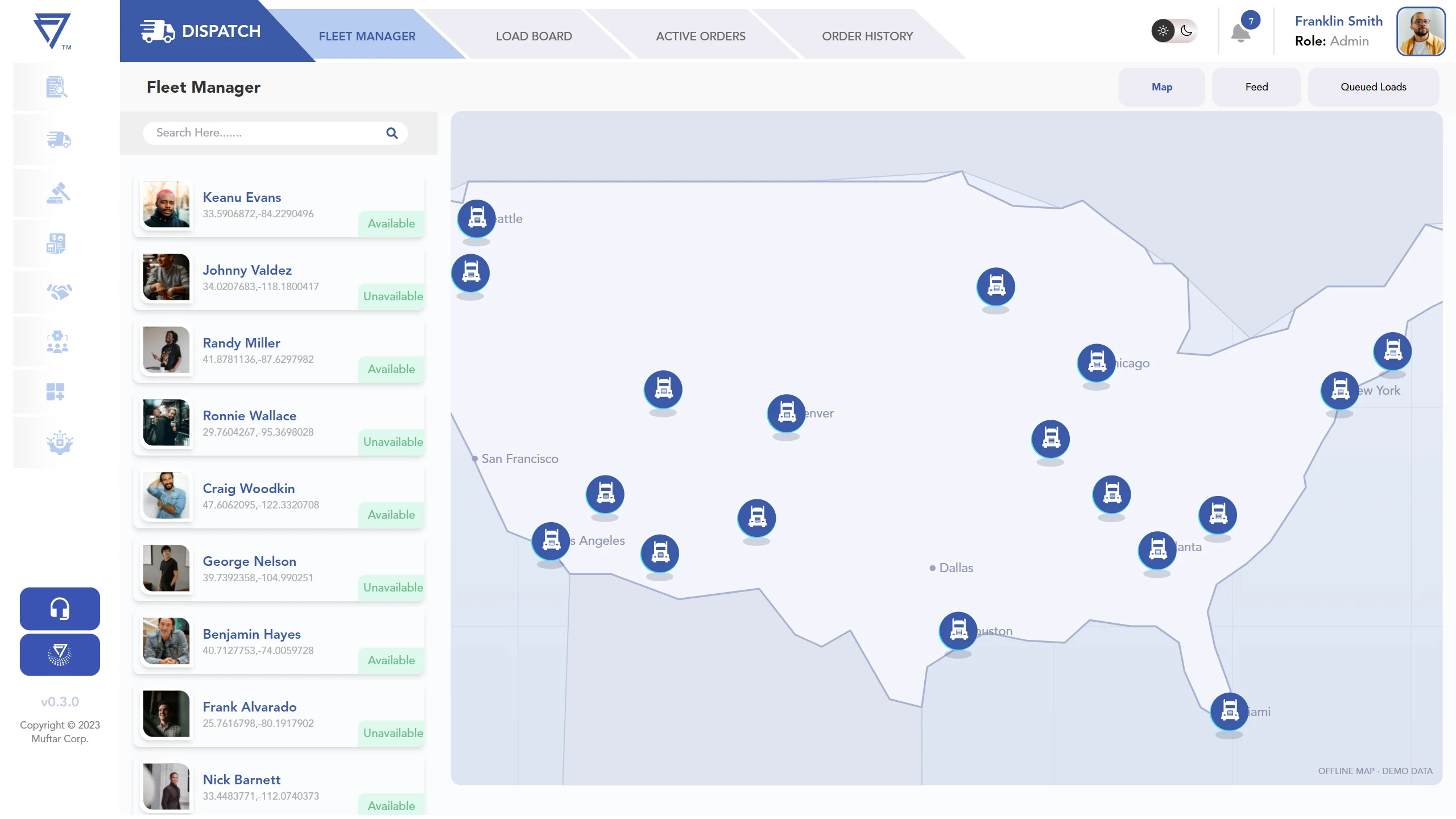
One Load,
Four Hands
Every truckload passes through four sets of hands before anyone is paid: the broker who tenders it, the dispatcher who staffs it, the driver who hauls it and the back office that settles it. In much of the industry that relay still runs on phone calls, text threads, emailed rate confirmations, photographed paperwork and spreadsheets.
The cost is familiar to anyone in freight: details get re-keyed and drift apart, drivers are double-booked, a blurry bill of lading surfaces days after delivery, and nobody can say who is free, where a truck is or what a driver is owed.
The brief was to replace that chain of side-channels with one platform where a load is created once and followed all the way to settlement. We built four connected apps around that single idea.
Broker Portal
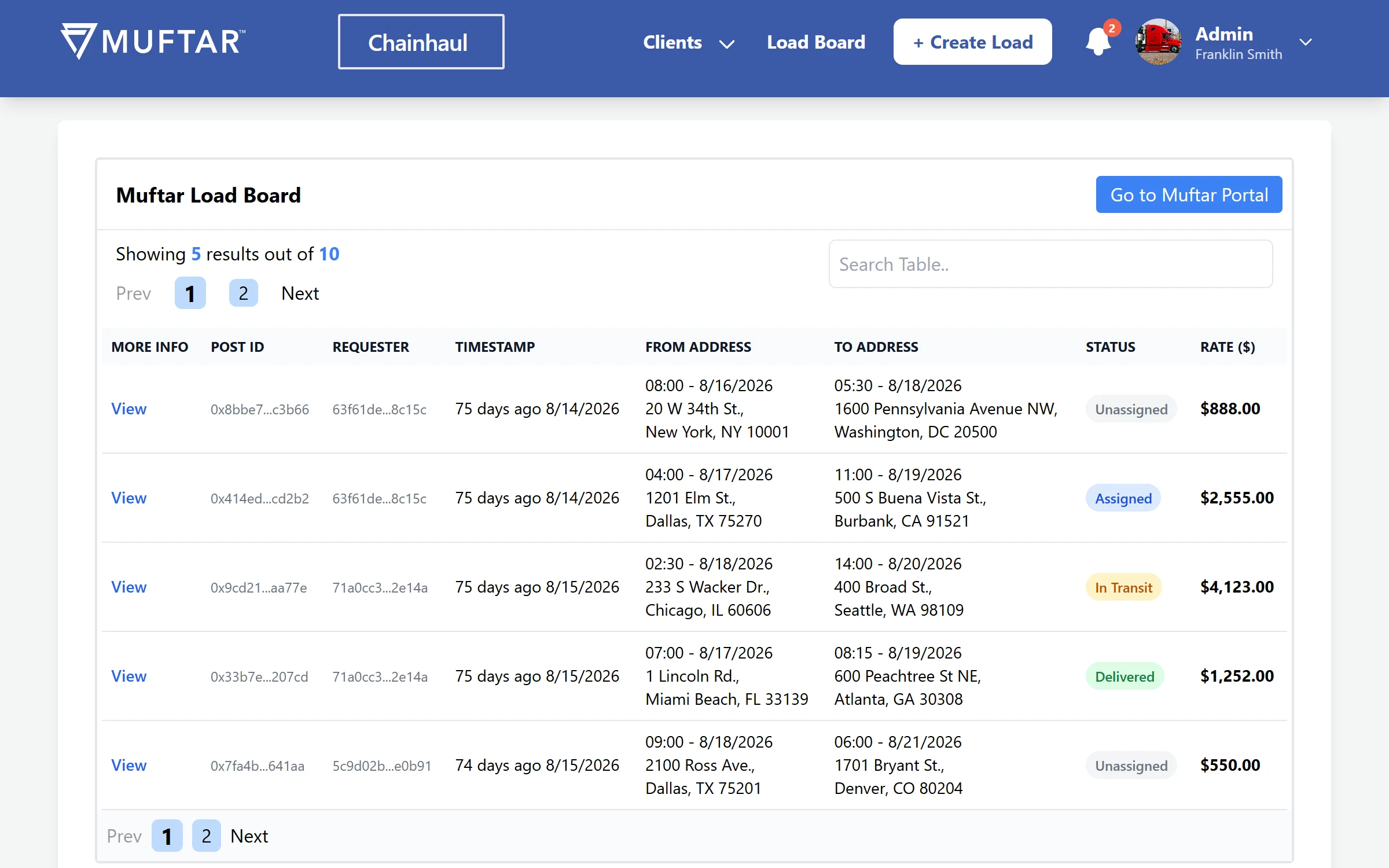
A web portal for freight-broker staff, built around the Load Generator: one structured form for the confirmation number, trailer type, rate, repeatable pickup and drop-off stops with time windows and contacts, commodity lines and the rate-confirmation PDF. It assembles everything into a single payload instead of an email thread.
Around it sit a searchable load board, an invoice-style load detail whose totals are computed from integer cents, a client record with lead stages and tasks, and an account area.
- Multi-stop loads — six trailer types, five commodity presets, add or remove stops, a contact picker per stop.
- Rate-con handling — PDF-only upload with progress and file size; the link travels with the load.
- Searchable board — free-text search across seven fields, paging and five colour-coded statuses.
- Built for a live API — point it at a load API and Firebase with environment variables.
Captured from the app running on built-in sample data.
Carrier Operations Portal
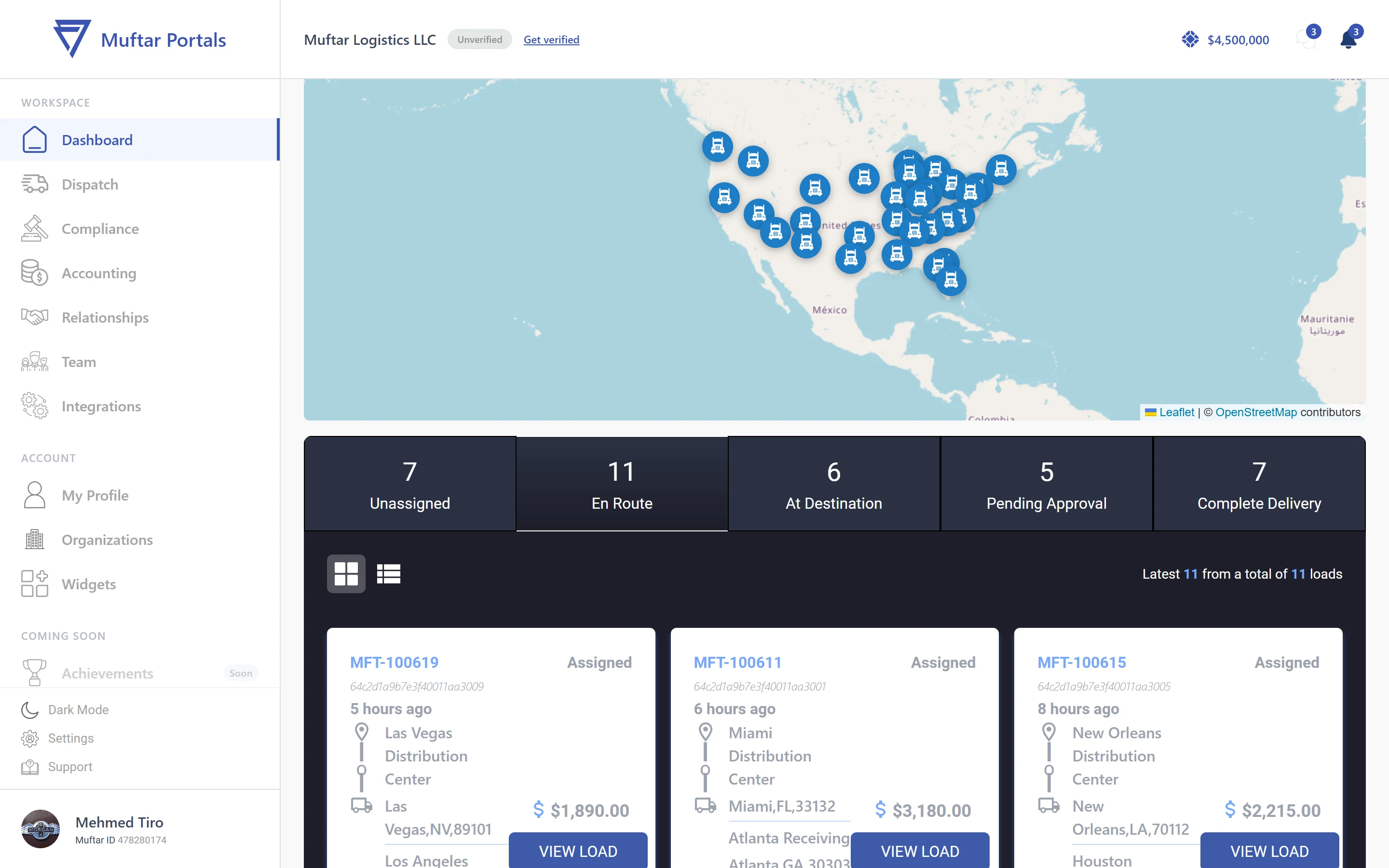
The dispatcher's and back office's workspace: take broker load offers, assign drivers, follow every load on a status board, review delivery paperwork and pay drivers, with safety, accounting, broker relationships and team management in the same shell.
Dispatch is the deepest module. Accepting an offer, assigning a driver, approving a bill of lading and paying a driver all change one shared state, so every screen reflects the last action. The rules are enforced: a busy driver can't be assigned, a queue rejects duplicates, a load pays once.
- Offers to orders — accept or decline broker offers; accepted loads move into Active Orders, most urgent first.
- Right driver, right load — assign, unassign or queue behind a current job, with trip distance shown.
- Paperwork review — open submitted BOLs, then approve (the load completes and the driver is freed) or reject with a reason.
- Settlements — per-driver statements with loads, fuel, reimbursements, deductions, year-to-date and a summary.
- Safety and team — driver records, accident reports, claims and insurance; invite staff as Admin, Dispatch, Safety or Accounting.
Captured from the app running on built-in sample data. Figures and names are placeholders.
Dispatch & Fleet Console
A second, leaner console for the operations desk: a Fleet Manager with every driver on a schematic US map, a searchable driver roster with availability at a glance, queued loads in card and table views, a load board for broker offers, and Active Orders and Order History with bill-of-lading and driver-payment states.
Beside dispatch sits the service-desk side: customer tickets, a chat inbox for delivery- and rate-confirmation requests, a task board, team invites with roles, and one search box that finds drivers, loads, tickets and people.
The map is drawn offline, a hand-built Web-Mercator projection in SVG, so the console needs no map account and no network at all. It runs on four runtime dependencies.
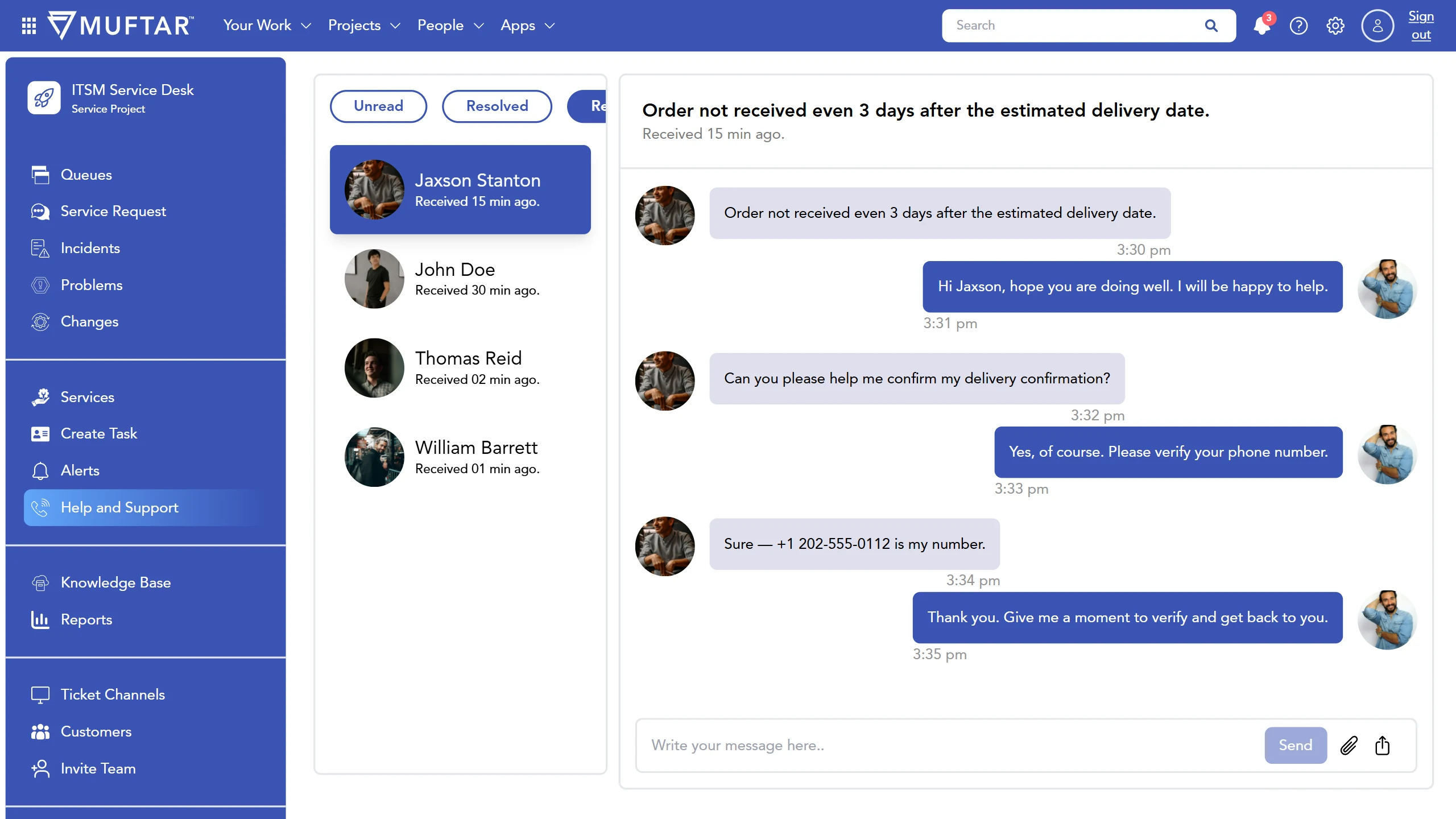
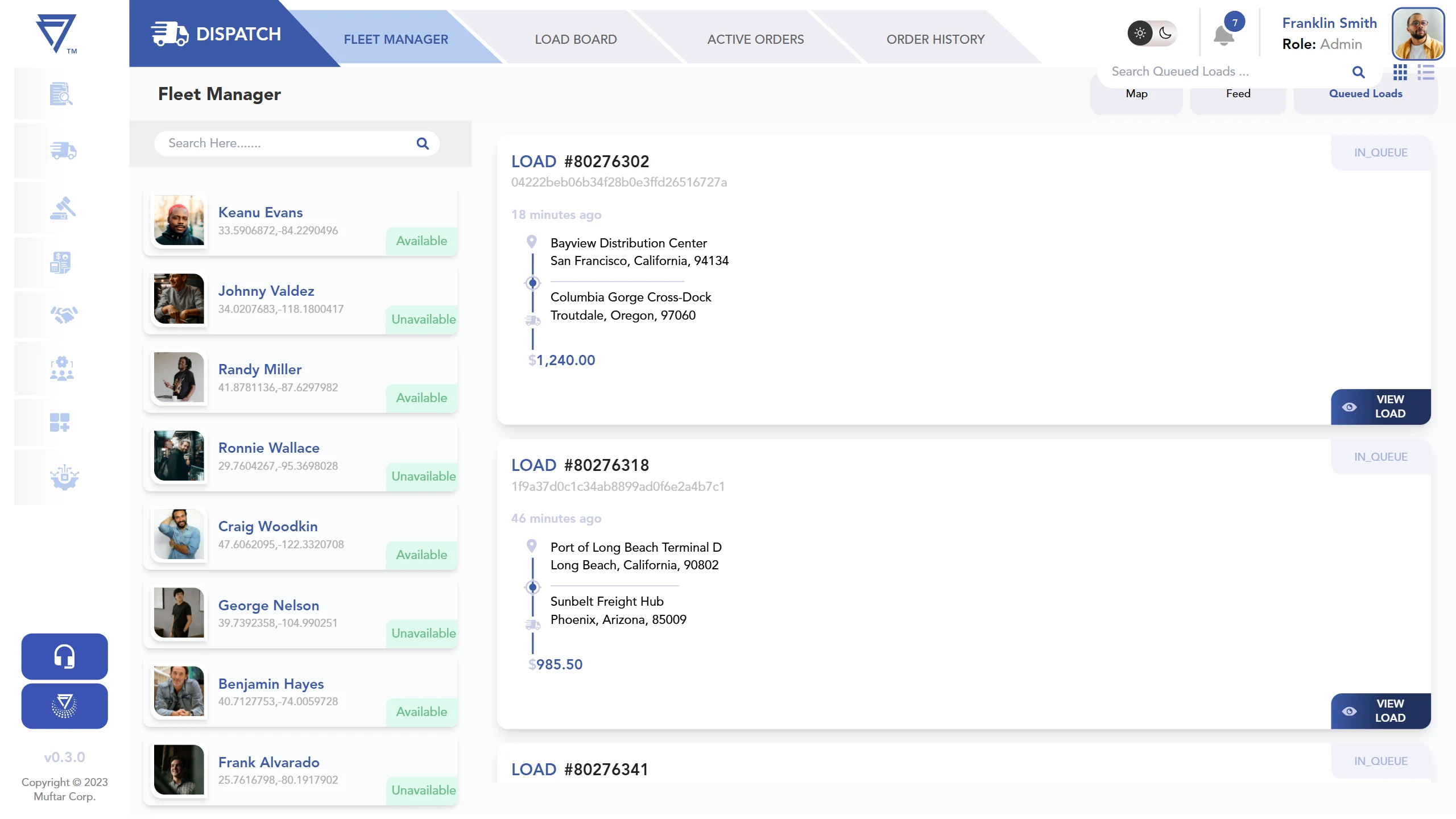
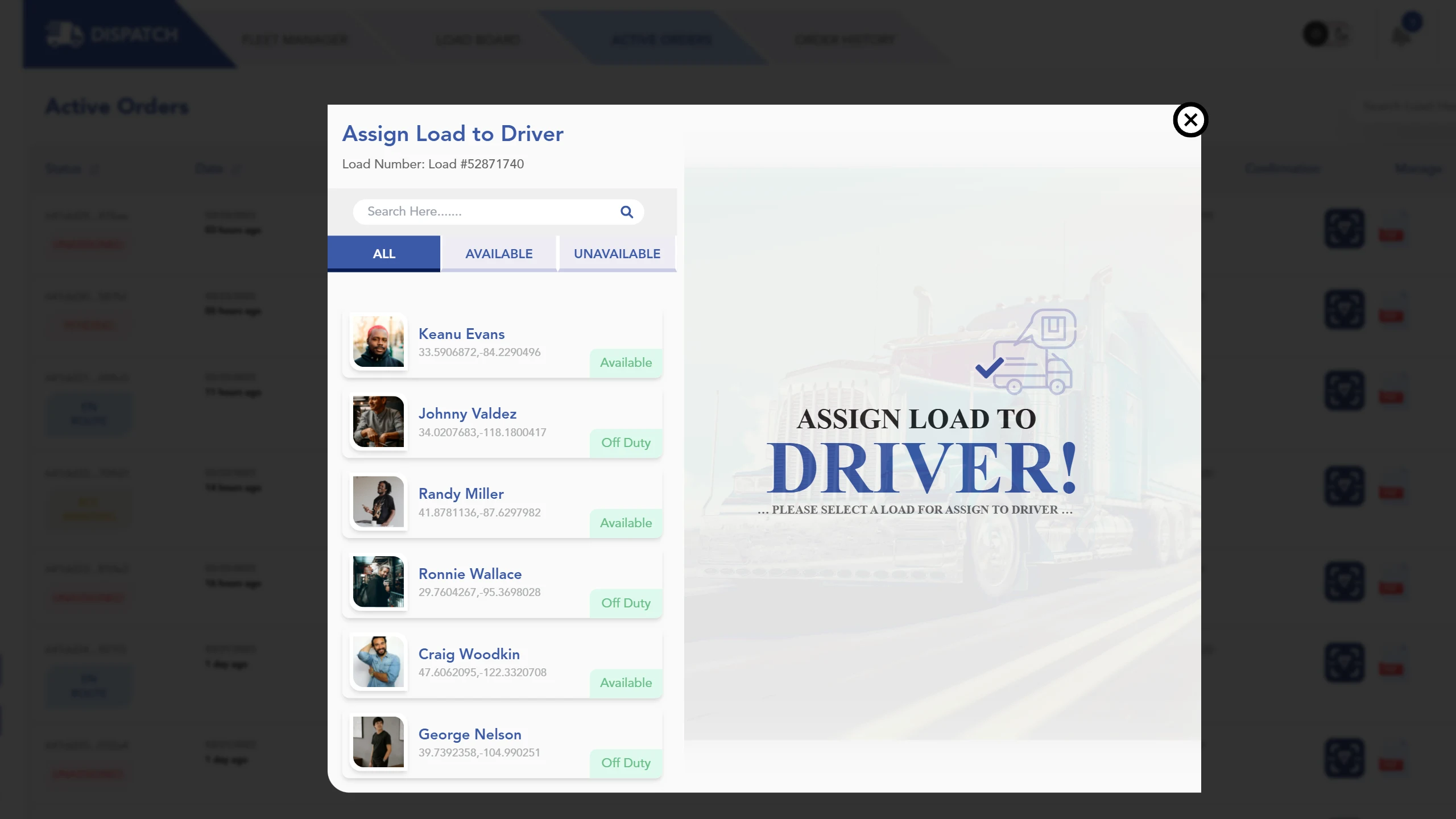
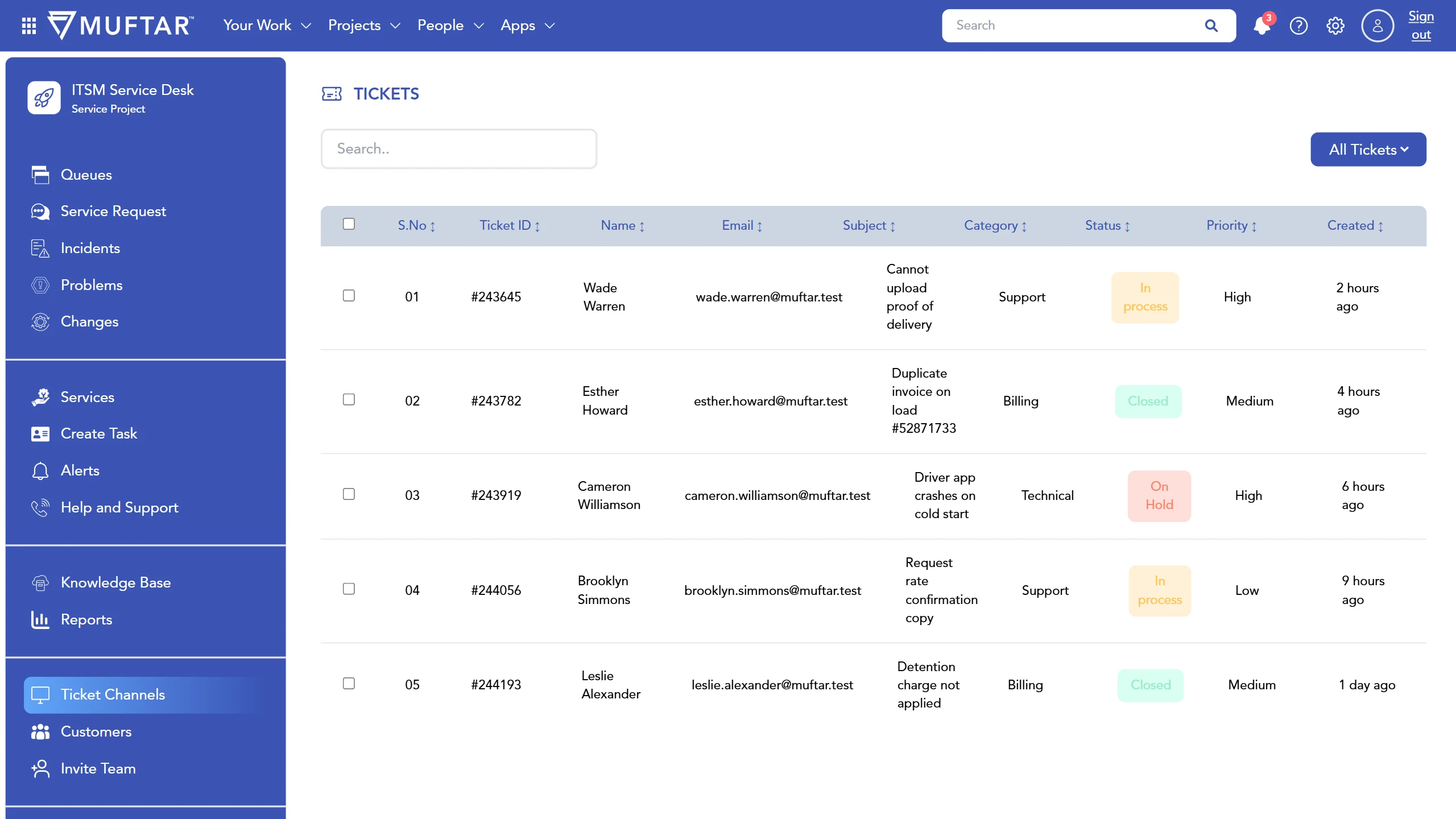
Captured from the app running on built-in sample data. Drivers, loads and tickets are placeholders.
Driver App
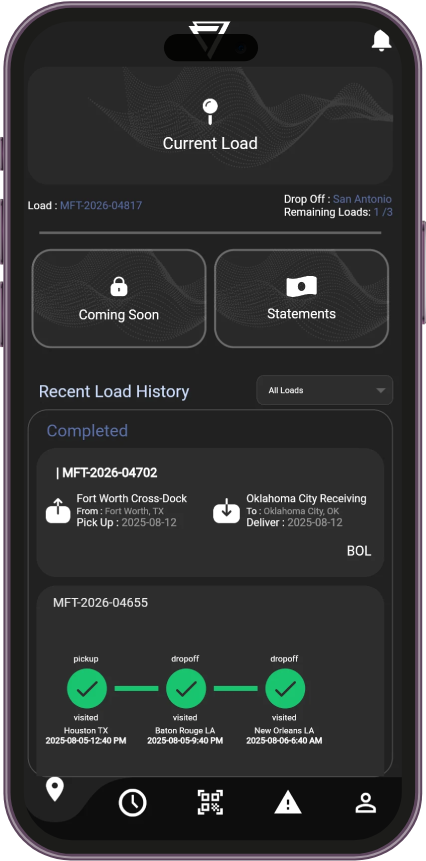
A Flutter app that puts the whole job in the driver's pocket: accept an assigned load, follow the multi-stop route with distance and drive time for every leg, mark arrival at the pickup, then scan the bill of lading, and an optional lumper receipt, straight into a PDF and upload it.
If the carrier rejects the paperwork, the trip timeline flags the stop and offers a one-tap resubmit, so the fix happens at the dock instead of days later.
- Load to route — every stop on an OpenStreetMap map, with leg distance and drive time.
- Paper to PDF — multi-page scans bundled and uploaded; the Submitted screen only appears once storage and the backend have both accepted it.
- Rejected? Resubmit — a rejected stop turns red on the timeline with a one-tap rescan.
- Built for the cab — a dark interface, six languages (EN, ES, FR, KO, ZH, BS) and problem reports with photo proof.
Captured from the Flutter app running on built-in sample data.
Project Status & Disclaimer
Over 14 months, our team designed and built the Muftar platform: the broker portal, carrier portal, dispatch console and driver app. Muftar’s funding situation changed during the engagement. As a result, the project could not be completed or launched to production.
A beta testing phase was carried out during our engagement. The screens in this case study are captured from our working builds running on sample data. All names, figures and loads are placeholders, and nothing here reflects live operations or results from real customers.
We share this work to show our process and the quality of what was built, not to present a released product.
- Duration14months of design and development
- PhaseBetatesting carried out during our engagement
- ReleasePre-launchthe platform was not completed or released to production